Images
Index of motion detection
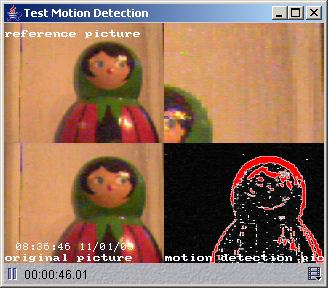
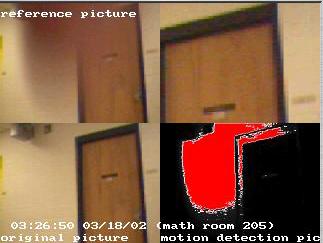
This sample code demonstrates how to use Java with JMF to implement a motion detection engine. It is a simple engine that displayes the captured frames on the screen with overlayed text. You need to install Java 1.2 (or a higher version) and JMF (supported cameras) to use this. First compile the source code:
javac *.java
To run, do:
java TestMotionDetection vfw://0
The vfw://0 is the URL for your camera. You can find out which URL you camera has by running JMFRegistry and looking for the value of JMF Registry Locator.
Source
You can download the zip file.
3rd party references
Some projects that used some of this code/ideas:
Lejos Vision System (http://homepage.ntlworld.com/lawrie.griffiths/vision.html)
©2016 Konrad Rzeszutek